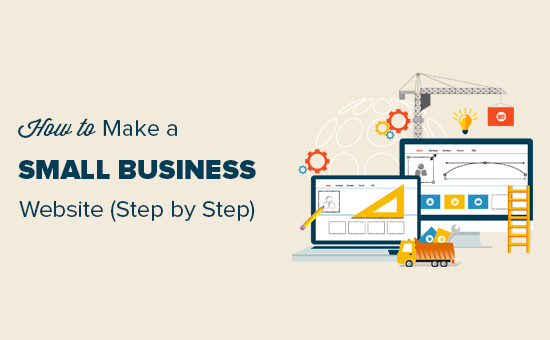
You probably already know that having a website is non-negotiable in 2025. But figuring out how to actually build one? That part can feel overwhelming fast. Most people don’t realize there are at least seven distinct ways to create a website—each with very different costs, learning curves, and long-term trade-offs. In this guide, you’ll discover every website-building method available today, how each one works, and exactly which option fits your specific situation.
⭐ Key Takeaways
- Website building is the process of creating and launching a website using coding, platforms, or tools—and there are at least 7 distinct ways to do it.
- Different methods include coding from scratch, CMS platforms like WordPress, drag-and-drop website builders, eCommerce platforms, static site generators, professional developers/agencies, and no-code tools.
- Each method varies significantly in cost, flexibility, speed, and technical skill requirements—there’s no single “best” option for everyone.
- Website builders are the fastest path for beginners, while custom coding offers maximum control and customization for advanced users.
- Choosing the right method depends entirely on your goals, budget, and technical expertise—not on trends or popularity.
- Comparing methods before you start building can save you thousands of dollars and dozens of hours of rework.
What Is Website Building, and Why Does Your Method Matter?
Website building is the process of creating, designing, and launching a website using various tools, technologies, or platforms. It encompasses everything from writing raw HTML in a code editor to simply dragging elements around in a visual interface. The outcome is the same—a live website on the internet—but how you get there changes everything about the experience.
First, your chosen method shapes your cost. A DIY website builder might run you $15 a month, while hiring a custom development agency can cost $10,000 or more upfront. Second, it affects scalability. A website you build on a limited free tool today could become a serious constraint when your business grows in 18 months. Third, it determines your ongoing control—whether you can update content yourself, change designs freely, or always need to call a developer for small edits.
Moreover, your method influences your time to launch. Some approaches let you go live in an afternoon; others require weeks of planning and development. That’s not a small difference when you’re trying to capture a market opportunity or hit a product launch deadline.
Unique Insight The website builder market is currently valued at $6.2 billion and is projected to reach $65.1 billion by 2035, growing at a 26.6% CAGR — Source: Future Market Insights, 2025. This explosive growth signals that the barrier to website creation is falling fast, but the proliferation of tools also means more confusion about which to choose.
How Many Methods Exist for Website Development Today?
There are 7 main types of ways to build a website in 2025, ranging from fully manual approaches that require deep technical skill to fully automated platforms that need zero coding knowledge. Understanding each category at a high level helps you filter quickly to the options that are realistic for your situation.
1. Coding From Scratch
HTML, CSS, JavaScript — complete control, zero limitations.
Advanced2. CMS Platforms
WordPress, Joomla, Drupal — manage content without full coding.
Intermediate3. Website Builders
Wix, Squarespace — drag, drop, publish.
Beginner4. eCommerce Platforms
Shopify, WooCommerce — built for selling products online.
Intermediate5. Static Site Generators
Gatsby, Hugo, Next.js — blazing speed, developer-focused.
Advanced6. Hiring Developers
Freelancers or agencies build the site for you.
No skills needed7. No-Code / Low-Code
Webflow, Bubble — visual builders with serious power.
Beginner–IntermediateEach of these methods represents a distinct philosophy about who builds the website, how much control they retain, and what trade-offs they’re willing to accept. Let’s explore each one in depth so you can make a genuinely informed comparison.
What Are the Different Types of Ways to Build a Website?
1. Coding From Scratch (HTML, CSS, JavaScript)
Custom website development involves building a website entirely from scratch using programming languages like HTML, CSS, and JavaScript. This is the original method — writing every element of the page manually in a text editor, then uploading files to a web server. It delivers maximum control and zero dependency on third-party platforms, but demands a significant investment in technical skill.
✅ Pros
- Total design and functionality freedom
- Fastest-loading sites (no bloat)
- No platform fees or lock-in
- Ideal for complex, unique functionality
❌ Cons
- Steep learning curve for beginners
- Slow to build (weeks to months)
- Requires ongoing maintenance
- No built-in SEO or CMS features
For example, a developer building a custom SaaS dashboard or a highly interactive portfolio would choose this method. For a small business that needs a 5-page brochure site by next week? Probably not the right call.
Tools: VS Code, Sublime Text, Notepad++; frameworks like React.js, Vue.js, and plain HTML5/CSS3. Cost: $0–$20/month for hosting; your biggest investment is time and skill.
2. Content Management Systems (CMS)
Content management systems (CMS) are software applications that help users create, manage, and modify website content without needing to write code from scratch. WordPress is by far the dominant player here, powering 43.4% of all websites globally as of 2025 — Source: W3Techs, April 2025. Joomla and Drupal are the next most popular options, though both have seen declining market share as simpler tools have risen.
CMS platforms separate content from code. You install the system once, choose a theme, add plugins for extra features, and then manage your pages and posts through a user-friendly dashboard. Technically-savvy beginners can launch a professional WordPress site within a weekend using a pre-built theme.
✅ Pros
- Massive plugin ecosystem (65,000+ for WordPress)
- Strong SEO capabilities
- You own your data and hosting
- Scales from blogs to enterprise sites
❌ Cons
- Requires some technical setup
- Security maintenance needed
- Can become slow without optimization
- Plugin conflicts can break your site
Cost: WordPress software is free. Hosting runs $5–$50/month, a premium theme costs $30–$100 once, and optional premium plugins add $0–$300/year depending on your needs.
WordPress powers 43.4% of all websites globally, commanding a 61.4% share among CMS-based websites — more than all other content management platforms combined. Its plugin ecosystem of over 65,000 extensions makes it uniquely adaptable for blogs, portfolios, business sites, and eCommerce stores. (Source: W3Techs / WordPress.com Blog, April 2025)
3. Drag-and-Drop Website Builders
Website builders are platforms that allow users to create websites without coding using intuitive drag-and-drop interfaces and pre-designed templates. Wix, Squarespace, GoDaddy Website Builder, and Weebly are the most widely recognized names in this category. They handle hosting, security, and updates automatically — you simply design your pages visually and publish.
These tools made website creation genuinely accessible to non-technical users. Among small-to-medium enterprises that use website builders, 27% prefer Squarespace and 21% use Wix — Source: Cropink, 2026. The trade-off is that you’re working within the platform’s constraints; you can’t access the underlying code in most cases, and migrating away later is often difficult.
✅ Pros
- No technical skills required
- Launch in hours, not days
- Hosting and security included
- Beautiful templates available
❌ Cons
- Limited design flexibility
- Difficult to migrate away from platform
- Monthly costs add up over years
- Less control over SEO details
Cost: $10–$50/month depending on the platform and plan. Most offer a free tier with limitations (branding, subdomain).
4. eCommerce Platforms
eCommerce platforms are specialized website-building tools designed specifically for selling products or services online, with built-in payment, inventory, and shipping management. Shopify is the category leader, powering 25% of all eCommerce websites globally and holding a 4.8% share of all websites on the internet — Source: W3Techs, 2025. WooCommerce (a WordPress plugin), BigCommerce, and Squarespace Commerce are the main alternatives.
eCommerce platforms shine because they bundle everything a seller needs: SSL security, payment gateways, tax calculation, product pages, cart functionality, and order management. A general-purpose website builder forces you to bolt these features on awkwardly; eCommerce platforms make them native.
Cost: Shopify plans start at $29/month plus transaction fees. WooCommerce is free, but you pay for hosting ($10–$30/month) and premium extensions. BigCommerce starts at $39/month.
5. Static Site Generators
Static site generators are development tools that pre-build website pages into static HTML files at build time, resulting in extremely fast, secure, and scalable websites. Popular examples include Gatsby, Hugo, Jekyll, Eleventy, and Next.js (when used in static export mode). Unlike CMS-driven sites where every page is rendered on the server when a user visits, static sites deliver pre-rendered HTML instantly—making them among the fastest-loading websites possible.
These tools are almost exclusively used by developers. They work well for developer portfolios, documentation sites, blogs with high traffic, and any project where performance and security are top priorities. They don’t suit beginners who need to update content frequently without technical help.
✅ Pros
- Extremely fast load speeds
- Very low hosting cost (often free via Netlify/Vercel)
- Highly secure (no database to hack)
- Version-controlled via Git
❌ Cons
- Requires developer knowledge
- Content updates require a rebuild
- Not suited for dynamic content
- Steep initial setup
Cost: Hosting is often free (Netlify, Vercel, GitHub Pages). Your main cost is developer time.
6. Hiring a Developer or Agency
Hiring a web developer or agency means outsourcing the entire website-building process to professionals, who design, develop, and launch the site on your behalf. This is the most hands-off approach and often produces the most polished result—but it’s also the most expensive. A freelance developer might charge $1,000–$5,000 for a basic business site, while agencies commonly charge $5,000–$50,000+ depending on complexity and location.
This method makes sense when you have budget but no time, when you need truly custom functionality, or when your brand depends on a professional visual identity that templates can’t deliver. The key challenge is finding the right professional and managing the relationship effectively through a clear brief and revision process.
✅ Pros
- Professional results without personal effort
- Custom design and functionality possible
- Ongoing maintenance support available
- Best for complex or enterprise-level sites
❌ Cons
- Highest upfront cost
- Dependent on a third party for updates
- Longer delivery timeline
- Quality varies widely by developer
Cost: Freelancers: $1,000–$10,000. Agencies: $5,000–$100,000+. Ongoing maintenance: $50–$300/month.
7. No-Code / Low-Code Platforms
No-code and low-code platforms are website-building tools that allow users to create functional, often complex websites and web applications using visual editors rather than writing code. The distinction matters: no-code tools (like Webflow, Carrd, or Bubble) require zero programming knowledge, while low-code tools (like Framer or WeWeb) allow developers to drop into code when needed for advanced customization.
Original Data By 2025, an estimated 70% of new applications developed by organizations will use no-code or low-code technologies — Source: WeWeb / Gartner, 2025. The low-code/no-code market was projected to grow from $28.11 billion in 2024 to $35.86 billion in 2025 alone. This isn’t a fringe movement; it’s the new mainstream.
✅ Pros
- Much more powerful than basic builders
- Visual design control without coding
- Growing ecosystem of integrations
- Good for MVPs and fast prototyping
❌ Cons
- Still has a learning curve
- Platform lock-in risk
- Pricing scales up quickly with traffic
- Some technical concepts still required
Cost: Webflow starts at $14/month for basic sites. Bubble pricing starts at $29/month. Enterprise plans can reach $500+/month.
How Do All Website Building Methods Compare? (Side-by-Side)
Comparing website-building methods across cost, ease of use, flexibility, scalability, and time required reveals dramatic differences that can make or break your project. Use the table below as a quick reference when evaluating your options.
| Method | Ease of Use | Cost / Month | Flexibility | Launch Time | Best For |
|---|---|---|---|---|---|
| Coding From Scratch | ⭐ Hard | $0–20 | ⭐⭐⭐⭐⭐ Maximum | Weeks–months | Developers, custom apps |
| CMS (WordPress) | ⭐⭐⭐ Moderate | $5–50 | ⭐⭐⭐⭐ High | Days–weeks | Blogs, businesses, media |
| Website Builders | ⭐⭐⭐⭐⭐ Easy | $10–50 | ⭐⭐ Limited | Hours–days | Beginners, small businesses |
| eCommerce Platforms | ⭐⭐⭐⭐ Moderate-Easy | $29–299 | ⭐⭐⭐ Medium | Days–weeks | Online stores |
| Static Site Generators | ⭐ Very Hard | $0–10 | ⭐⭐⭐⭐⭐ Maximum | Days–weeks | Developers, docs sites |
| Hiring Developers | ⭐⭐⭐⭐⭐ Easiest | $200–2000+ | ⭐⭐⭐⭐⭐ Maximum | Weeks–months | Businesses with budget |
| No-Code / Low-Code | ⭐⭐⭐⭐ Moderate | $14–500 | ⭐⭐⭐⭐ High | Days | Non-devs needing power |
How Do You Choose the Right Website Building Method?
Choosing the right website building method depends on three core factors: your budget, your technical skills, and your long-term goals for the site. There’s no universally “best” approach—only the best approach for your specific situation. The decision framework below maps common scenarios to the methods that genuinely fit them.
🧭 Decision Guide: Match Your Goal to Your Method
Personal Experience One pattern that consistently emerges: beginners who start with a website builder frequently outgrow it within 18–24 months and wish they’d started with WordPress. If you expect your site to grow significantly, it’s often worth the slightly steeper learning curve of a CMS from the start.
Which Website Building Method Is Best for Beginners?
For beginners with no technical background, drag-and-drop website builders like Wix and Squarespace are the most accessible starting point, while WordPress offers a better long-term foundation for those willing to invest a few extra hours of learning. The right choice hinges on how much you value ease now versus flexibility later.
Website builders require no installation, no hosting management, and no plugin configuration. You pick a template, add your content, and publish. Most people can launch a basic 5-page website in under 4 hours. That speed is genuinely valuable when you’re testing a business idea or need an online presence urgently.
At the same time, WordPress powered 43.4% of the entire internet as of 2025 for good reason — its plugin ecosystem of 65,000+ extensions means it can grow with virtually any website goal. A well-maintained WordPress site can start as a simple blog and expand into a full eCommerce operation without rebuilding from scratch.
Can you build a website without any coding skills at all? Absolutely. Website builders, CMS platforms with visual editors, and no-code tools have made it genuinely possible to launch a professional website with zero programming knowledge. The no-code/low-code market was valued at $1.97 billion in 2023 and is growing at a 7.73% CAGR through 2031 — Source: Verified Market Research, 2025 — reflecting real market adoption, not just hype.
Should You Use a CMS or a Website Builder?
The difference between a CMS and a website builder is fundamentally about ownership and control: CMS platforms give you full ownership of your site and data, while website builders offer simplicity in exchange for platform dependency. Understanding this trade-off is essential before committing to either path.
With a self-hosted CMS like WordPress, you choose your hosting provider, install the software, and own every file on the server. If WordPress ever shuts down (unlikely), your site files still exist. If your hosting company raises prices, you can migrate. That portability has real long-term value.
Website builders, by contrast, lock your content and design into their proprietary platform. Migrating from Wix to Squarespace, or from either to WordPress, ranges from difficult to effectively impossible without rebuilding from scratch. That’s not inherently bad — plenty of successful businesses run entirely on Wix or Squarespace forever — but it’s a constraint you should understand before committing.
What Tools and Platforms Should You Know About?
The most widely used website-building tools in 2025 span every category, from professional development environments to one-click publishing platforms. Here’s a consolidated reference for real-world options in each method category.
| Category | Top Platforms / Tools | Free Option? | Ideal For |
|---|---|---|---|
| Coding | VS Code, GitHub Pages, Netlify | Yes | Developers |
| CMS | WordPress, Joomla, Drupal | Yes (software) | Blogs, business sites |
| Website Builder | Wix, Squarespace, GoDaddy, Weebly | Limited free tier | Beginners, small biz |
| eCommerce | Shopify, WooCommerce, BigCommerce | WooCommerce only | Online sellers |
| Static Site Gen | Gatsby, Hugo, Next.js, Eleventy | Yes | Developers, speed-focused |
| No-Code | Webflow, Bubble, Framer, Carrd | Limited free tier | Non-devs needing power |
| Hiring / Agencies | Upwork, Toptal, Clutch, Fiverr | N/A | Hands-off, budget available |
What’s Next? How to Start Building Your Website Today
Once you’ve chosen your website-building method, the path forward follows a clear sequence of practical steps that apply regardless of which platform you select. Skipping any of these steps often leads to avoidable rework later.
- 1Choose and register a domain name. Your domain is your permanent web address. Keep it short, memorable, and relevant to your brand. Learn how to choose a domain name that works for SEO too.
- 2Select and set up hosting. For CMS and coded sites, you need a hosting provider. For website builders, hosting is included. Read our web hosting beginner guide before committing to a plan.
- 3Choose your platform and install it. Based on the decision guide above, select your method and set up your environment — whether that’s installing WordPress, opening a Wix account, or scaffolding a Next.js project.
- 4Design your site. Pick a theme, template, or design system. Set your brand colors, typography, and layout. Don’t overthink this step — you can always iterate.
- 5Add your content. Write your homepage, about page, services/products pages, and contact page. Add a blog if SEO is a priority.
- 6Optimize for search and performance. Install an SEO plugin (if using WordPress), set up Google Analytics, submit your sitemap to Google Search Console, and run a speed test via PageSpeed Insights.
- 7Launch and promote. Share your site on social media, email your network, and start building inbound links. Your site is live — now drive traffic to it.
Frequently Asked Questions About Website Building Methods
Conclusion: Choose the Method That Fits You, Not the Trend
Website building is the process of creating and launching a website using coding, platforms, or tools — and in 2025, you have more ways to do it than ever before. There are 7 distinct methods: coding from scratch, CMS platforms, website builders, eCommerce platforms, static site generators, hiring developers, and no-code/low-code tools. Each one is genuinely right for someone — and genuinely wrong for someone else.
The most expensive mistake beginners make is choosing based on what’s popular rather than what fits their specific goals, technical skills, and budget. WordPress is the most widely used platform on earth for good reasons — but it might not be the best choice for a freelancer who needs a simple portfolio live by Friday. Shopify dominates eCommerce, but WooCommerce might serve a small handmade goods shop better at a fraction of the cost.
Use this guide as a reference you return to as your website needs evolve. Start where you are. Build what you can. And don’t hesitate to switch methods if your goals change — what matters most is that your website is working for you.
→ Start Your Website Today