Author name: RC

The Complete Guide to Website Development in 2026

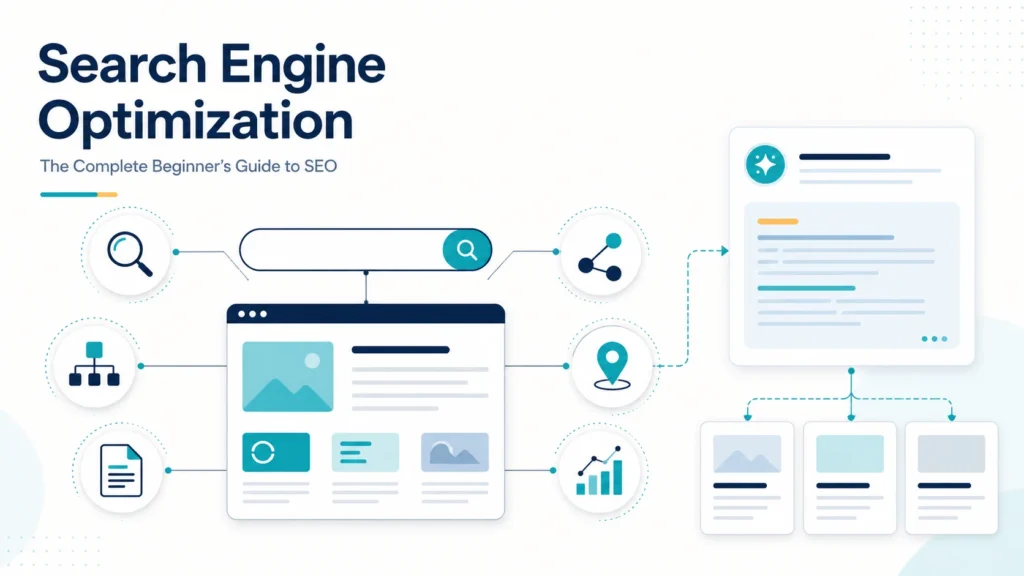
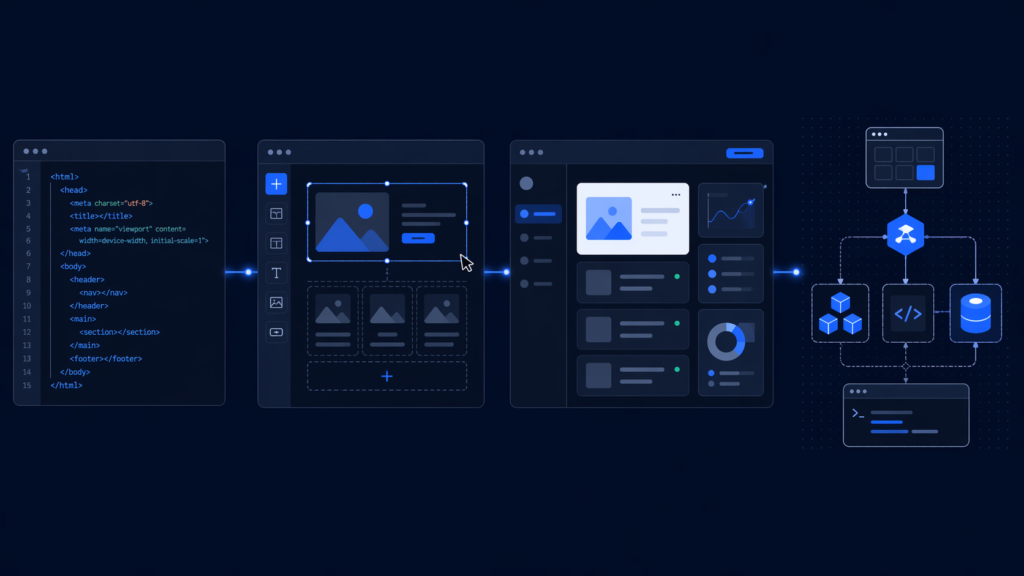
Introduction A website today isn’t just a digital business card. It’s where people form their first impression of you, decide whether to trust you, and either stick around or leave within seconds. Whether you’re a developer, a founder, or someone who just needs something online, knowing how websites actually get built—and what each approach costs you in time, money, and flexibility—is worth understanding before you commit to one. This guide covers the main ways websites get built in 2026, what each one is actually good for, and where each one tends to fall apart. 1. Static Websites: The Basics Static websites are plain HTML, CSS, and sometimes JavaScript. The content doesn’t change unless someone goes in and updates the files manually. No database, no server logic. This is the right choice for portfolios, landing pages, and simple informational sites. They load fast, they’re hard to hack (there’s not much to attack), and you can host them for free on GitHub Pages or Netlify. For beginners, building one is still the clearest way to understand how the web actually works. Where they break down: once you have more than a handful of pages, updating content manually gets old fast. And there’s no path to user accounts, real-time data, or personalization without adding a backend—at which point you’ve left static territory entirely. 2. Dynamic Websites: How Most of the Web Actually Works Dynamic sites generate pages on the fly. A user requests a page, the server pulls data from a database, assembles it, and sends it back. That’s how dashboards, social feeds, and e-commerce carts work. The typical stack: a JavaScript frontend (React, Vue, Angular), a backend (Node.js, Python, PHP), and a database (MySQL, MongoDB, PostgreSQL). These three layers talk to each other constantly. This is the approach behind most of the web you actually use every day. It’s powerful because the content can change based on who’s logged in, what they’ve bought, or what happened 30 seconds ago. The tradeoff is real: you’re managing more pieces, more potential points of failure, and more security surface area. It’s not a beginner project. 3. CMS Platforms: When You Want a Website Without Writing One Content Management Systems let you run a website without touching code. WordPress powers somewhere around 40% of the internet. Shopify runs millions of online stores. Joomla has a smaller audience but still a loyal one. The pitch is straightforward: install, pick a theme, add some plugins, and you’re live. For blogs, local businesses, portfolios with regular updates, or basic e-commerce, that’s genuinely good enough. The plugin ecosystem for WordPress alone is vast—SEO, payments, analytics, forms, caching—you can probably find something that does what you need. The catch is that plugins accumulate. A site with 40 plugins has 40 potential points where something can break, conflict, or introduce a security hole. Speed also tends to suffer as complexity grows. And if you want something that doesn’t fit neatly into what the platform expects, you’ll be fighting it. 4. No-Code Builders: Point, Click, Publish Wix, Webflow, Squarespace—these are the tools that let you drag elements onto a canvas and get a website without any coding at all. They’re genuinely useful for what they’re designed for: a freelancer’s portfolio, a restaurant menu, a small business homepage, an event page. The hosting is included, the templates are polished, and you can be live in an afternoon. Webflow deserves a separate mention because it bridges no-code and actual development more seriously than the others—you get more control over layout and interactions, and the exported code is clean. It’s become a real option for agencies and design-focused projects. The limits are real though. You’re inside someone else’s system, and when you hit the edge of what it supports, there’s no way around it. Migrating away later can also be painful. These tools are best when your requirements are stable and modest. 5. Full-Stack Development: Custom, Scalable, and Expensive Full-stack development means owning the whole thing—frontend, backend, database, deployment. It’s where you go when you need something that doesn’t fit a template, handles significant traffic, or has complex business logic. React and Next.js are the dominant frontend choices right now. On the backend, Node.js, Django, and Spring Boot each have their niches. Behind all of it: cloud infrastructure, CI/CD pipelines, monitoring, and whoever’s responsible for keeping it running. This is how SaaS products, AI-powered applications, and anything at scale gets built. It’s also the most expensive option in both time and talent. A solo developer can do it, but full-stack work at a serious level usually means a team. Choosing the Right Approach Here’s an honest breakdown: Most decisions come down to how much control you actually need versus how much complexity you’re willing to manage. Where Things Are Heading in 2026 A few things worth watching: Headless CMS setups—where the content management backend is separate from the frontend—have become much more common. Teams get the flexibility of a custom frontend with the editorial convenience of a CMS. It’s more work to set up but often the right call for growing products. Serverless architecture has quietly become the default for a lot of backend work. You write functions, deploy them, and pay only for what runs. Less infrastructure to manage, though debugging can be strange. AI is touching everything now. Code generation tools have genuinely changed how fast developers can work—not by replacing judgment, but by handling the repetitive parts. AI features are also showing up inside websites themselves: search, recommendations, dynamic content generation. Performance and accessibility are getting more attention, partly from user expectations and partly from search ranking pressure. A slow or inaccessible site is a liability. Conclusion There’s no universally right way to build a website. Static sites are underrated. CMS platforms are overused for things they’re not suited to. No-code tools are better than they used to be. Full-stack development is powerful but overkill for most projects. Start with what matches your actual requirements, not what sounds most impressive. A well-built

The Complete Guide to Website Development in 2026 Read More »

How Many Types of Ways to Build a Website?

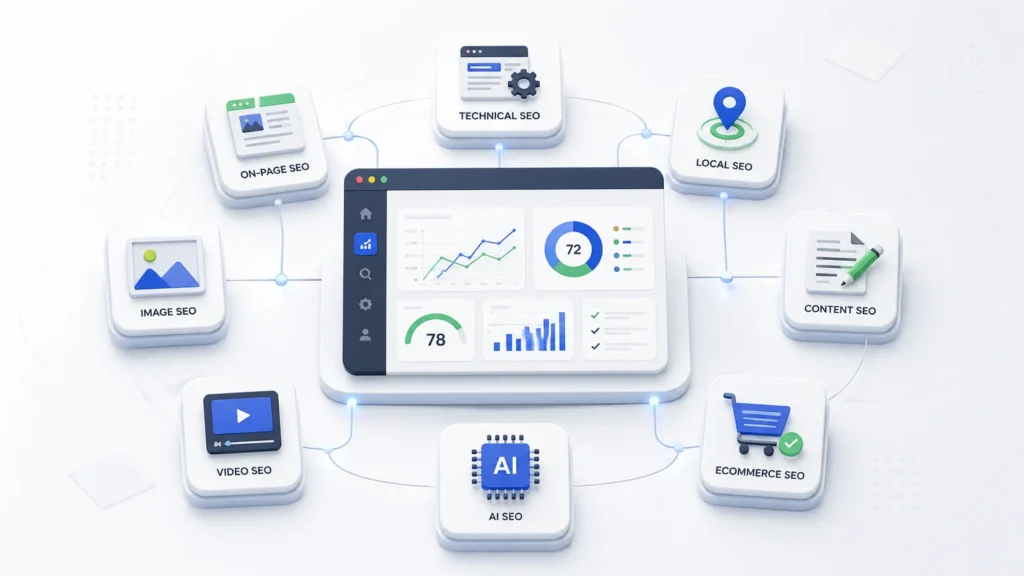
How Many Types of Ways to Build a Website? (Complete 2025 Guide) You probably already know that having a website is non-negotiable in 2025. But figuring out how to actually build one? That part can feel overwhelming fast. Most people don’t realize there are at least seven distinct ways to create a website—each with very different costs, learning curves, and long-term trade-offs. In this guide, you’ll discover every website-building method available today, how each one works, and exactly which option fits your specific situation. ⭐ Key Takeaways Website building is the process of creating and launching a website using coding, platforms, or tools—and there are at least 7 distinct ways to do it. Different methods include coding from scratch, CMS platforms like WordPress, drag-and-drop website builders, eCommerce platforms, static site generators, professional developers/agencies, and no-code tools. Each method varies significantly in cost, flexibility, speed, and technical skill requirements—there’s no single “best” option for everyone. Website builders are the fastest path for beginners, while custom coding offers maximum control and customization for advanced users. Choosing the right method depends entirely on your goals, budget, and technical expertise—not on trends or popularity. Comparing methods before you start building can save you thousands of dollars and dozens of hours of rework. What Is Website Building, and Why Does Your Method Matter? Website building is the process of creating, designing, and launching a website using various tools, technologies, or platforms. It encompasses everything from writing raw HTML in a code editor to simply dragging elements around in a visual interface. The outcome is the same—a live website on the internet—but how you get there changes everything about the experience. First, your chosen method shapes your cost. A DIY website builder might run you $15 a month, while hiring a custom development agency can cost $10,000 or more upfront. Second, it affects scalability. A website you build on a limited free tool today could become a serious constraint when your business grows in 18 months. Third, it determines your ongoing control—whether you can update content yourself, change designs freely, or always need to call a developer for small edits. 1.98 billion Websites exist on the internet as of early 2026, yet fewer than one in five is actively maintained. Source: Digital Applied, 2026 Moreover, your method influences your time to launch. Some approaches let you go live in an afternoon; others require weeks of planning and development. That’s not a small difference when you’re trying to capture a market opportunity or hit a product launch deadline. Unique Insight The website builder market is currently valued at $6.2 billion and is projected to reach $65.1 billion by 2035, growing at a 26.6% CAGR — Source: Future Market Insights, 2025. This explosive growth signals that the barrier to website creation is falling fast, but the proliferation of tools also means more confusion about which to choose. How Many Methods Exist for Website Development Today? There are 7 main types of ways to build a website in 2025, ranging from fully manual approaches that require deep technical skill to fully automated platforms that need zero coding knowledge. Understanding each category at a high level helps you filter quickly to the options that are realistic for your situation. 💻 1. Coding From Scratch HTML, CSS, JavaScript — complete control, zero limitations. Advanced 📝 2. CMS Platforms WordPress, Joomla, Drupal — manage content without full coding. Intermediate 🎨 3. Website Builders Wix, Squarespace — drag, drop, publish. Beginner 🛒 4. eCommerce Platforms Shopify, WooCommerce — built for selling products online. Intermediate ⚡ 5. Static Site Generators Gatsby, Hugo, Next.js — blazing speed, developer-focused. Advanced 👥 6. Hiring Developers Freelancers or agencies build the site for you. No skills needed 🔧 7. No-Code / Low-Code Webflow, Bubble — visual builders with serious power. Beginner–Intermediate Each of these methods represents a distinct philosophy about who builds the website, how much control they retain, and what trade-offs they’re willing to accept. Let’s explore each one in depth so you can make a genuinely informed comparison. What Are the Different Types of Ways to Build a Website? 1. Coding From Scratch (HTML, CSS, JavaScript) Custom website development involves building a website entirely from scratch using programming languages like HTML, CSS, and JavaScript. This is the original method — writing every element of the page manually in a text editor, then uploading files to a web server. It delivers maximum control and zero dependency on third-party platforms, but demands a significant investment in technical skill. ✅ Pros Total design and functionality freedom Fastest-loading sites (no bloat) No platform fees or lock-in Ideal for complex, unique functionality ❌ Cons Steep learning curve for beginners Slow to build (weeks to months) Requires ongoing maintenance No built-in SEO or CMS features For example, a developer building a custom SaaS dashboard or a highly interactive portfolio would choose this method. For a small business that needs a 5-page brochure site by next week? Probably not the right call. Tools: VS Code, Sublime Text, Notepad++; frameworks like React.js, Vue.js, and plain HTML5/CSS3. Cost: $0–$20/month for hosting; your biggest investment is time and skill. 2. Content Management Systems (CMS) Content management systems (CMS) are software applications that help users create, manage, and modify website content without needing to write code from scratch. WordPress is by far the dominant player here, powering 43.4% of all websites globally as of 2025 — Source: W3Techs, April 2025. Joomla and Drupal are the next most popular options, though both have seen declining market share as simpler tools have risen. 43.4% of all websites on the internet run on WordPress — making it the world’s most-used website platform. Source: W3Techs / WordPress.com Blog, April 2025 CMS platforms separate content from code. You install the system once, choose a theme, add plugins for extra features, and then manage your pages and posts through a user-friendly dashboard. Technically-savvy beginners can launch a professional WordPress site within a weekend using a pre-built theme. ✅ Pros Massive plugin ecosystem

How Many Types of Ways to Build a Website? Read More »

How to Generate the Most Realistic AI Images Possible

How to Generate the Most Realistic AI Images Possible | Step-by-Step AI Image Guide How to Generate the Most Realistic AI Images Possible | Step-by-Step Introduction “Why do my AI images always look so… fake?” You’ve seen it too. The plastic skin. The weirdly perfect hair. Lighting that looks like it came from a studio built inside a video game. You type a prompt, hit generate, and get something that screams “made by a robot.” Here’s the truth: the problem isn’t the AI tool. It’s how you’re talking to it. Realistic AI images don’t happen by accident. They happen when you give the model the right instructions — specific, structured, and detailed. In this guide, you’ll learn exactly how to do that, step by step. No jargon. No fluff. Just practical techniques you can use today. What Makes an AI Image Look Realistic? Think about the last photo you took on your phone. You didn’t think about it — but that image had natural imperfections: soft shadows, slight grain, a background that’s a little blurry, your subject slightly off-center. That’s real life. AI images fail at realism when they’re too clean. When everything is sharp, perfectly lit, and symmetrical, your brain knows something is wrong. Realism comes from: Natural lighting — light from one direction, not everywhere at once Texture and detail — visible pores, fabric weave, surface roughness Imperfections — slight grain, soft blur, uneven shadows Camera characteristics — depth of field, lens distortion, ISO noise Candid moments — not staged, not perfectly posed Step-by-Step Guide to Creating Realistic AI Images 1 Choose the Right AI Tool Not all AI tools are equal when it comes to realism. The tool you choose matters — especially for photo-realistic results. Here are some strong options: Nano Banana ProGreat for realism & iteration MidjourneyStunning artistic detail DALL·E 3Easy, beginner-friendly Stable DiffusionFull control & customization Adobe FireflyGreat for editing workflows Leonardo AIPhoto-realism focused Pro tip: Don’t stop at one result. Generate 4–8 variations per prompt and pick the best. Iteration is everything. Even a perfect prompt won’t produce a perfect image on the first try — every generation has a random element. 2 Use Structured Prompting (This Is the Big One) Most beginners write prompts like a Google search: “woman in a coffee shop.” That gives you a generic, flat image. The solution is structured prompting — breaking your prompt into specific categories. CAMERACanon EOS R5, 85mm f/1.4, shallow depth of field LIGHTINGGolden hour, soft warm side light from left window SUBJECTSouth Indian woman, late 20s, natural skin, reading OUTFITLoose cream linen shirt, no jewelry POSESlightly slouched, one hand holding a cup LOCATIONQuiet corner café, blurred warm-toned background Full example prompt: Realistic Prompt Example Photorealistic portrait, Canon EOS R5, 85mm lens, f/1.4 aperture, ISO 200, golden hour side lighting from left window, soft warm bokeh background. South Indian woman in her late 20s, natural skin texture, reading a book at a small wooden café table. Wearing a loose cream linen shirt, hair loosely tied. Slightly slouched posture, one hand wrapped around a coffee cup. Quiet independent coffee shop, warm tones, shallow depth of field, subtle film grain. Shot by a street photographer. 3 Be Extremely Specific Vague prompts give you vague results. The AI fills in blanks with generic defaults — and generic defaults look fake. The more specific you are, the more the AI has to work with. Add technical camera details: lens type (50mm, 85mm, 24mm), aperture (f/1.8 = blurry background), ISO (high ISO = grain), shutter speed, lighting direction. ❌ Vague Prompt “A man standing outside at night” ✅ Specific Prompt “35mm street photo, f/2.0, ISO 800, neon sign light from the right, a tired man in his 40s leaning against a brick wall, rain-wet pavement reflecting orange streetlights, candid documentary style” The second prompt tells the AI exactly what kind of light, what mood, what lens, and what moment to capture. That’s why it wins. 4 Use Reference Images Most AI tools let you upload a reference photo. This is incredibly powerful. Upload a real photograph and ask the AI to reverse-engineer its style. For example: upload a photo with lighting you love, then write: “Recreate this lighting style with a different subject — a young boy playing cricket in a dusty alley, candid, photorealistic.” Reference images anchor the AI to a specific look, drastically reducing how “AI-generated” the result feels. 5 Add Imperfections on Purpose This sounds backwards — but adding flaws is one of the most powerful techniques for realistic AI images. Real photos aren’t perfect. Here’s how to add intentional imperfections in your prompt: Film grain: “subtle 35mm film grain” Motion blur: “slight motion blur on hands” Lens flare: “mild lens flare from window light” Chromatic aberration: “slight color fringing on edges” Skin texture: “visible pores, natural skin imperfections” These micro-details trick the brain into thinking it’s looking at a real photo. 6 Edit and Improve (Multi-Asset Workflow) You don’t have to regenerate everything if one small element is wrong. Instead, use a multi-asset editing workflow: Use Photoshop’s generative fill or in-painting tools to fix specific areas Regenerate just the face, background, or hands — not the whole image Use prompts like “replace the background with a rain-soaked street at night” Adjust color grading in Lightroom or Photoshop to match real photo aesthetics Think of AI generation as the rough draft. Editing is what makes it final and believable. Pro Tips for Ultra-Realistic Results Think like a photographer Ask: what camera, what light, what moment? Pretend you’re directing a photo shoot. Use candid poses Avoid stiff, “please look at the camera” poses. Real photos catch people mid-action. Avoid perfect symmetry Real faces and scenes are slightly asymmetrical. Add “slightly off-center” or “asymmetric framing.” Use natural lighting Sunlight, window light, street lamps. Avoid prompts with “studio lighting” unless that’s your goal. Name a photographic style Add “documentary style,” “street photography,” or “Magnum Photos aesthetic” to ground the mood. Iterate, iterate, iterate The best realistic image is

How to Generate the Most Realistic AI Images Possible Read More »

Complete WordPress beginner guide tutorial

Complete WordPress Beginner Guide

You’ve probably heard that WordPress is the easiest way to build a website. But once you start, it quickly feels confusing with themes, plugins, and settings everywhere. In this complete beginner guide, you’ll learn exactly how to build your WordPress site step by step—from zero to a fully live website. Key Takeaways What Is WordPress and How Does It Work? WordPress is a content management system (CMS) that allows users to create and manage websites without needing to write code. First, WordPress works by separating content, design, and functionality, making website building structured and simple. For example, you write blog posts (content), apply a theme (design), and install plugins (features). Moreover, WordPress powers over 43% of all websites globally — Source: W3Techs, 2025, which proves its dominance and reliability. This means you’re not learning a niche tool—you’re learning the industry standard. At the same time, WordPress operates on two levels: The WordPress dashboard is the central control panel where users manage content, design, and site settings. Why WordPress Matters for Beginners WordPress matters because it offers flexibility, affordability, and scalability for building any type of website. First, WordPress supports multiple use cases: For example, you can start with a blog and later convert it into an eCommerce store using plugins like WooCommerce. Second, WordPress is cost-effective. You can launch a site with as little as ₹2,000–₹5,000/year depending on hosting. Third, it requires no coding knowledge, yet allows advanced customization when needed. Finally, WordPress has a massive ecosystem: This means you’re never stuck—there’s always a solution. What Do You Need Before Installing WordPress? Before installing WordPress, you need a domain name and web hosting. First, a domain name is your website address. For example: neelvastr.com. Second, hosting is where your website files are stored. Recommended beginner-friendly hosting: Setting up WordPress involves choosing a domain name, purchasing hosting, installing WordPress, and configuring themes and plugins. How Do You Set Up WordPress Step by Step? Setting up WordPress step by step involves installing it, configuring settings, and preparing your website structure. Step 1: Install WordPress First, most hosting providers offer 1-click installation, which simplifies everything. For example, in Hostinger, you just click “Install WordPress” and enter basic details. Step 2: Understanding the WordPress Dashboard The WordPress dashboard is where you control everything on your website. Key sections: For example, creating a blog post happens inside Posts → Add New. Step 3: Choose and Install a Theme A WordPress theme controls the design and layout of your website. First, go to Appearance → Themes → Add New. Recommended beginner themes: For example, Astra loads fast and works well with Elementor. Step 4: Install Essential Plugins Plugins in WordPress are tools that extend functionality, such as SEO optimization, security, and performance improvements. Must-have plugins: For example, installing Rank Math helps optimize posts for Google rankings. Step 5: Create Pages and Blog Posts Pages and posts are the core content types in WordPress. Pages: Posts: Step 6: Customize Menus and Design Menus and widgets control how users navigate your website. First, go to Appearance → Menus. For example: Second, customize using: Step 7: Basic SEO Setup WordPress SEO basics involve optimizing content, speed, and structure for search engines. Core SEO steps: Consistent content creation and basic SEO practices improve website growth over time. Statistic: 68% of online experiences begin with a search engine — Source: BrightEdge, 2024 How Do You Choose the Best WordPress Theme as a Beginner? The best WordPress theme for beginners is lightweight, customizable, and compatible with page builders. First, focus on speed. For example, Astra loads under 1 second on optimized hosting. Second, ensure customization flexibility: Third, check plugin compatibility. Avoid over-designed themes. They slow down your site and kill performance. What Are the Essential WordPress Plugins for Beginners? Essential WordPress plugins improve SEO, security, performance, and functionality. Core stack: Statistic: Websites that load in under 2 seconds have 15% higher conversion rates — Source: Google, 2024 How Do You Customize Your WordPress Website Design? Customizing a WordPress website involves adjusting layout, colors, typography, and structure. First, use the Customizer for basic edits. Second, use Elementor for advanced design. For example, you can drag and drop sections to create landing pages. What Are the Basic SEO Settings for WordPress? Basic SEO settings in WordPress include permalinks, metadata, and performance optimization. Steps: Statistic: Top-ranking pages have 3.8x more backlinks — Source: Backlinko, 2024 How Long Does It Take to Build a WordPress Website? A beginner can build a basic WordPress website in 2–6 hours with proper guidance. First, setup takes 30–60 minutes. Second, design and content take a few hours. For example, a simple blog can go live in a single day. Tools and Practical Applications for WordPress WordPress tools help streamline design, SEO, and performance. Recommended tools: Use cases: What Should You Do After Building Your WordPress Website? After building your website, you should focus on content, SEO, and growth strategies. Next steps: For example, blogs earn via ads, affiliate marketing, and digital products. Conclusion WordPress is the easiest and most powerful way to build a website without coding. Starting feels overwhelming, but execution is simple once you follow a system. The hardest part is not learning—it’s starting. So stop overthinking. Build your first version today. Improve as you go. Written by Ravula Charan — Founder of Nothing Down Agency, Full-Stack Web Developer, and creator of the RC ecosystem including RC AppStore, RC Space, RC Webkit, Mega Dukanam, Telika Tools, and Tatva Community. Reviewed by Editorial Team — Web Development & SEO Specialists Disclaimer: This article was initially drafted using AI assistance. However, the content has undergone thorough revisions, editing, and fact-checking by human editors and subject matter experts to ensure accuracy.

Complete WordPress Beginner Guide Read More »

How Much Power Full Is WordPress?

You’ve probably heard that WordPress powers a huge part of the internet. But what most people don’t understand is how powerful it actually is—and where it completely breaks down. In this guide, you’ll get a clear, no-BS breakdown of what WordPress can do, where it wins, and when you should avoid it. Key Takeaways What Is WordPress? WordPress is an open-source content management system (CMS) that allows users to build and manage websites without coding from scratch. First, WordPress started as a blogging platform but evolved into a full website-building system. Today, it powers everything from personal blogs to enterprise-level websites. For example, major brands like TechCrunch and CNN use WordPress to manage high-traffic content platforms. Second, there are two versions you need to understand: 👉 If you’re serious, always go with WordPress.org. WordPress is not just a blogging tool—it is a full-scale website operating system. Complete WordPress beginner guide Why WordPress Matters Today WordPress matters because it powers a massive portion of the internet and offers unmatched flexibility for building websites. First, the numbers don’t lie: Second, this dominance exists for one reason: flexibility at scale. For example, a beginner can launch a blog in 1 hour, while a developer can build a SaaS-like platform using APIs and custom plugins. WordPress wins because it adapts to both beginners and professionals. How Powerful Is WordPress Compared to Other Platforms? WordPress is powerful because it combines customization, scalability, and control in a way most platforms cannot match. Let’s break it down. Customization Power WordPress customization comes from themes, plugins, and custom code. First, there are 60,000+ plugins available — Source: WordPress Directory, 2025 For example, you can add: Second, developers can modify everything using PHP, APIs, and hooks. This means WordPress is only limited by your skill—not the platform. Scalability Reality WordPress scalability depends on infrastructure, not just software. First, WordPress can handle massive traffic when optimized properly. For example, high-traffic sites like news platforms use advanced hosting, caching, and CDN layers to scale. Second, poor setup leads to failure. WordPress can scale—but only if you build it correctly. Flexibility Across Use Cases WordPress flexibility allows it to support multiple business models. For example, you can build: WooCommerce alone powers 33%+ of eCommerce sites globally — Source: StoreLeads, 2025 WordPress is not a niche tool—it is a multi-purpose platform. WordPress is powerful for SEO because it is built for content-first architecture. First, it supports: Second, plugins like Yoast SEO simplify optimization. For example, you can optimize titles, meta descriptions, and internal links without coding. WordPress doesn’t just support SEO—it’s built around it. What Can You Actually Build Using WordPress? WordPress can be used to build almost any type of website except highly complex real-time systems. Let’s break it down. Blogs and Content Platforms WordPress is the best platform for content-driven websites. For example, bloggers publish millions of posts monthly using WordPress. If your business depends on content, WordPress dominates. Business Websites WordPress is ideal for company websites and service businesses. For example: You can build a full business presence without heavy coding. eCommerce Stores WordPress powers eCommerce through WooCommerce. For example: WooCommerce gives Shopify-level functionality with more control. Membership & Community Platforms WordPress supports membership systems using plugins. For example: You can build a SaaS-like system without building SaaS from scratch. Custom Web Applications WordPress can act as a backend for custom applications. For example: This is where advanced developers unlock real power. What Are the Biggest Advantages of WordPress? WordPress advantages come from control, cost efficiency, and ecosystem strength. First, it is open-source, meaning no platform lock-in. Second, it has a massive ecosystem: Third, it is cost-effective. For example, you can launch a website for under ₹5,000–₹10,000. WordPress gives you enterprise-level capability at startup-level cost. What Are the Limitations of WordPress You Should Know? WordPress limitations come from mismanagement, not inherent weakness—but they are real. Performance Issues WordPress becomes slow if not optimized properly. For example: Plugin Dependency Risk WordPress heavily depends on plugins for functionality. For example, if a plugin breaks, your site can break. More plugins = more risk. Security Concerns WordPress is a common target for attacks due to its popularity. For example: Not Ideal for Real-Time Apps WordPress is not suitable for complex real-time systems. For example: These require custom backend development. Is WordPress Good for Startups and MVPs? WordPress is one of the best platforms for startups and MVPs because it reduces cost and development time. First, you can launch quickly. For example, an MVP can be built in 1–2 weeks instead of months. Second, you can validate ideas before scaling. WordPress is perfect for testing ideas—not scaling everything from day one. When Should You Avoid Using WordPress? You should avoid WordPress when your project requires heavy backend logic or real-time processing. Avoid it for: In these cases, go for custom development. Tools & Ecosystem That Make WordPress Powerful WordPress becomes powerful because of its ecosystem of tools and extensions. Page Builders Essential Plugins Hosting & Optimization Hosting plays a critical role in WordPress performance. For example: Component Recommended Option Hosting Cloud / Managed WP Theme Lightweight (Astra) Builder Elementor / Gutenberg SEO RankMath / Yoast Cache LiteSpeed / WP Rocket What Should You Do Next? Choosing WordPress depends on your specific goal, not general advice. Here’s what you should do: Start simple. Optimize later. Scale when needed. Conclusion WordPress is powerful—but only if you use it correctly. First, it dominates the internet for a reason: flexibility, scalability, and cost efficiency. Second, most failures come from poor execution, not platform limitations. WordPress is not magic—it’s a tool. The power depends on how you use it. Author Written by Ravula Charan — Founder of Nothing Down Agency, full-stack WordPress developer and product builder specializing in scalable web solutions and digital ecosystems. Reviewed by RC Editorial Team — Experts in web development, SEO, and digital product strategy. Disclaimer: This article was initially drafted using AI assistance. However, the content has undergone thorough revisions, editing, and fact-checking

How Much Power Full Is WordPress? Read More »

Build Your Own Business AI Assistant | Custom GPT for Business Automation

How Businesses Can Build Their Own Custom GPT or AI Model to Improve Productivity and Automate Work Artificial Intelligence is no longer something only large technology companies can use. Today, businesses of every size—from small startups to growing companies—can build their own AI assistants to simplify work, improve productivity, and automate repetitive tasks. A custom GPT or AI model can act like a digital employee that understands your company’s knowledge, processes, and goals. Instead of relying only on general AI tools, businesses can train their own AI system using their internal data, documents, workflows, and brand voice. This allows the AI to provide more accurate answers, generate better content, and support teams in their daily work. Building a business AI assistant may sound complex, but the process becomes simple when you break it down into clear steps. In this guide, we will explore how businesses can build their own custom AI model step by step, using simple tools and practical strategies. Understanding the Purpose of a Business AI Assistant Before building any AI system, businesses must first understand why they need it. A custom AI assistant should solve real problems and improve efficiency inside the company. Identifying Business Problems AI Can Solve Many businesses waste hours every week on repetitive tasks. These tasks may include answering common customer questions, writing marketing content, organizing internal knowledge, or managing routine operations. An AI assistant can help by: When AI is trained with company knowledge, it becomes a smart internal assistant that helps teams work faster. Defining Clear Goals for the AI System Businesses should clearly define what they want their AI to do. Without a clear goal, the system may become confusing or ineffective. For example, a business AI assistant could be designed to: The clearer the goal, the better the AI will perform. Collecting and Organizing Company Data The most important part of building a custom AI model is data. AI becomes useful only when it understands your business. Gathering Business Knowledge Start by collecting important company information. This may include: All of this information helps the AI understand how your business works. Organizing Data for AI Training Once the information is collected, it should be organized properly. Poorly structured data can confuse the AI system. A simple structure might include folders like: Company Information Customer Support Marketing Content Operations When data is organized clearly, the AI can learn faster and produce better responses. Preparing and Structuring Training Data After collecting company information, the next step is preparing the data so the AI can understand it. Cleaning and Simplifying Information AI models work best when information is clear and structured. Businesses should: For example, instead of random notes, convert information into clear knowledge articles. Creating Question-and-Answer Knowledge One of the best ways to train business AI is by creating question-and-answer style data. Example: Question: What services does our company offer?Answer: Our company provides web development, AI automation, and digital marketing solutions designed to help businesses grow online. This format helps the AI understand how to respond to real user questions. Building a Business Knowledge Base Many companies create a central knowledge base before training their AI model. This knowledge base becomes the core learning material for the AI system. It may include: This ensures the AI always gives consistent and accurate answers. Choosing Tools or Platforms to Build the AI The good news is that businesses do not need to build AI from scratch. Today, many platforms allow companies to create their own AI assistants easily. Popular Platforms for Business AI Some commonly used tools include: These platforms allow businesses to train AI using their own documents and knowledge. No-Code vs Custom Development Businesses can choose between two approaches. No-Code AI Platforms These tools allow businesses to build AI assistants without programming. Benefits include: Custom AI Development Large companies may prefer building their own AI systems using developers. This approach provides: However, it requires technical expertise. Training the AI Model With Business Knowledge Once the data and tools are ready, the next step is training the AI model. Feeding Business Information Into the AI Most AI platforms allow businesses to upload: The AI reads and learns from these materials. Instead of memorizing information like traditional software, modern AI systems understand context. This allows them to generate helpful responses based on company knowledge. Teaching the AI Company Style and Tone Businesses should also train the AI to follow their brand voice. For example, the AI should understand: This ensures the AI communicates consistently with customers and employees. Testing and Improving the AI System Building an AI assistant is not a one-time task. Businesses must continuously test and improve it. Running Real-World Tests Before using AI publicly, test it internally. Ask questions such as: Employees can interact with the AI and report problems. Improving AI With Feedback If the AI gives incorrect answers, businesses should: Over time, the AI becomes smarter and more reliable. Using the AI to Automate Business Tasks Once the AI is working properly, businesses can start using it to automate real tasks. Customer Support Automation AI assistants can answer common customer questions instantly. Examples include: This reduces the workload for human support teams. Content Creation and Marketing Businesses can use AI to generate: This helps marketing teams produce content faster. Internal Knowledge Assistant AI can also become an internal tool for employees. Instead of searching through documents, employees can simply ask the AI questions such as: The AI instantly provides answers. Business Process Automation When integrated with automation tools, AI can help automate workflows. Examples include: This turns AI into a powerful productivity system. Practical Examples of Business AI Assistants To understand the real value of custom AI, let’s look at a few practical examples. Customer Service AI A company trains an AI assistant using its product documentation and FAQ pages. The AI can answer customer questions on the website 24/7. This reduces support tickets and improves response speed. Marketing AI Assistant A marketing team trains AI using

Build Your Own Business AI Assistant | Custom GPT for Business Automation Read More »

Where to watch movies and web series

Where to Watch Movies and Web Series in India (2025): The Ultimate Streaming Guide The way Indians consume entertainment has changed dramatically. With dozens of OTT platforms now available, you can instantly stream the latest movies and binge-worthy web series from anywhere. But with so many choices, it’s easy to get confused. Where can you watch movies and web series legally in India in 2025? This complete guide breaks down the best OTT platforms in India, updated pricing, regional streaming apps, and bundle offers to help you pick the right service. Why You Should Watch Movies Legally Online Pirated sites may look tempting, but they come with risks: poor video quality, malware, unsafe pop-ups, and no support for creators. With affordable OTT plans in 2025, there’s no need to compromise. Legal OTT platforms offer HD or 4K quality, subtitles, regional dubbing, and safe streaming — all while supporting the film and TV industry. Top OTT Platforms in India (2025) 1. JioHotstar (JioCinema + Disney+ Hotstar) 2. Netflix India Plans 2025 Netflix remains the king of original web series and global hits. 3. Amazon Prime Video India 4. ZEE5 5. SonyLIV Best Regional OTT Platforms in India Regional OTTs are booming in 2025. If you prefer content in your language, here are top options: Cheapest OTT Plans and Bundles in India To save money, telecom operators now bundle OTT subscriptions with prepaid/postpaid mobile or broadband plans: How to Choose the Best OTT Platform for You OTT Trends in India (2025) Conclusion India’s OTT ecosystem in 2025 is more exciting and affordable than ever. Whether you’re into Hollywood blockbusters, regional cinema, or original web series, there’s a platform tailored to your needs. To make the right choice: By choosing the right OTT platform, you’ll never run out of high-quality, legal entertainment.

Where to watch movies and web series Read More »

What Are the Skills Required to Run a Startup Company?

Starting a company is exciting—but it is also one of the most challenging journeys you can ever take. Many new founders often believe that having a great idea is enough to succeed. But in reality, ideas are only the beginning. To build, grow, and sustain a startup—whether in technology, healthcare, retail, finance, or any other industry—you need a set of core skills that empower you to manage people, money, operations, and growth. In this article, we’ll explore the must-have skills every entrepreneur should learn to run a startup successfully. Whether you’re planning to build an app, start an eCommerce business, open a consulting firm, or launch a manufacturing unit, these skills apply to any sector, any category, and any business model. Why Skills Matter More Than Just Ideas Ideas are plentiful, but execution is rare. According to global startup reports, more than 90% of startups fail, often not because of bad ideas but because founders lacked the right skills in leadership, financial planning, marketing, and adaptability. When you, as an entrepreneur, develop the right mindset and skill set, you dramatically increase your chances of surviving and scaling your startup. Essential Skills Required to Run a Startup Company 1. Leadership and Vision A founder is not just a business owner; they are a leader who sets the direction of the company. Tip: Practice storytelling—because people don’t just buy products, they buy into a vision. 2. Financial Management Skills Money is the lifeblood of any startup. Without financial discipline, even the best ideas fail. Even if you hire an accountant, you must understand numbers to avoid mistakes. 3. Strategic Planning and Business Development A startup without a strategy is like a ship without a compass. 4. Marketing and Branding Skills No matter how good your product is, it won’t sell unless people know about it. Marketing isn’t just about selling—it’s about building trust. 5. Sales Skills As a founder, your first job is to sell—sell your idea to investors, your product to customers, and your vision to employees. 6. Networking and Communication Startups grow faster when founders build strong networks. 7. Adaptability and Problem-Solving The startup journey is unpredictable—you need to adapt quickly. 8. Time Management and Productivity In a startup, you will wear multiple hats. Managing time is critical. 9. Technology and Digital Skills In today’s world, every startup—regardless of industry—relies on technology. 10. Human Resource and Team-Building Skills Your startup is only as strong as your team. 11. Legal and Compliance Knowledge Startups often fail due to legal mistakes. 12. Emotional Intelligence (EQ) Business is about people, and people are emotional. Things Every Founder Must Learn Along the Journey Running a startup is not about mastering everything before you start—it’s about learning continuously. Here are the things to focus on: Final Thoughts: Skills Make Startups Successful No matter what industry you choose—tech, health, food, fashion, or finance—the skills listed above are universal. You don’t need to be perfect in all of them, but you must have a working knowledge and the ability to learn fast. A startup is not built overnight—it is built step by step, decision by decision, and skill by skill. The more you invest in yourself, the better your company will grow. So, if you are planning to start your own company, focus not just on your idea, but on building the right skills to execute it successfully.

What Are the Skills Required to Run a Startup Company? Read More »

Legal Startup Guides in India (MCA + Startup India)

1) First decisions: what to register and why For 95% of venture-style or scalable businesses, you’ll choose Private Limited Company (Pvt Ltd) or LLP. If you plan to apply for DPIIT (Startup India) recognition and later a Section 80-IAC tax holiday, a Pvt Ltd is usually the smoother path. 2) Incorporation on MCA: your step-by-step The MCA has digitized incorporation into a single web form called SPICe+ (pronounced “spice plus”). You’ll also file a linked form called AGILE-PRO-S (INC-35) to activate multiple registrations in one go. What SPICe+ does for you What AGILE-PRO-S (INC-35) adds Documents you’ll typically need Outputs you get 3) Post-incorporation housekeeping (don’t skip!) 4) Startup India (DPIIT) Recognition: why it matters & how to get it Why do this?DPIIT recognition unlocks: Eligibility snapshot How to apply Important date 5) Section 80-IAC: the famous “3-years tax holiday” (what it is & what it isn’t) What you can get Common misunderstandings Why founders still pay taxes even after 80-IAC 6) Funding & benefits beyond tax: the government support stack 7) MCA annual compliance: the calendar you really need For a Private Limited Company (small/early stage), the core annual filings are: Heads-up on filing platform changesMCA has been migrating company e-forms to the MCA-21 V3 portal. Recent updates moved annual return/financial statement forms (MGT-7/AOC-4) into a web-based filing experience (phased roll-out through 2025). Expect new disclosures and on-screen validation. Always check the live V3 portal for the current process. Other compliance you’ll likely touch 8) Taxes & payroll: doing it right from day 1 Section 80-IAC vs. “no taxes at all”Even with an 80-IAC profit deduction, routine indirect taxes (GST) and withholding (TDS) obligations still apply. Keep your compliance calendar and cashflows aligned. 9) Startup-friendly extras that most founders miss 10) A founder’s one-page checklist (print this) Before incorporation During MCA filing After incorporation Ongoing compliance 11) Pro tips to stay out of trouble 12) Quick links you’ll actually use (what to search for) Final word If you follow this sequence—incorporate cleanly on MCA (SPICe+ + AGILE-PRO-S) → apply for DPIIT recognition → apply for 80-IAC when ready → run a tight compliance calendar on MCA-21 V3 + taxes—you’ll have a legally solid startup with access to India’s official benefits (seed funding via incubators, credit guarantees, and a potential 3-year profit tax holiday). Keep an eye on dates and portal updates—they do change—and you’ll stay both fast and compliant.

Legal Startup Guides in India (MCA + Startup India) Read More »

The World of Industries: Types, Evolution, and Future Demand

Introduction Industries form the backbone of the global economy, shaping nations, creating employment, and fueling innovation. From agriculture and manufacturing to digital technology and space exploration, industries are constantly evolving to meet human needs. With globalization, digital transformation, and sustainability at the forefront, understanding industries—their types, functions, challenges, and future trends—is essential for policymakers, businesses, and individuals alike. This article provides a comprehensive exploration of the world’s industries, including their classification, current trends, challenges, and future demand sectors that are expected to dominate in the coming decades. 1. Classification of Industries Industries can be categorized in several ways, primarily by sectors, functions, and scale. 1.1 Primary Industries These industries involve extraction and harvesting of natural resources. They form the foundation of all other sectors. 1.2 Secondary Industries These focus on processing raw materials into finished products. 1.3 Tertiary Industries Also known as the service sector, these industries provide services rather than goods. 1.4 Quaternary Industries Knowledge-driven industries based on research, innovation, and technology. 1.5 Quinary Industries High-level decision-making sectors involving top executives, government officials, and thought leaders. 2. Key Global Industries Today 2.1 Information Technology and Software 2.2 Healthcare and Pharmaceuticals 2.3 Energy Sector 2.4 Automotive and Transportation 2.5 Financial Services 2.6 Media and Entertainment 2.7 Education and EdTech 3. Industries of the Future: High-Demand Sectors The 21st century will be defined by industries that merge technology, sustainability, and human needs. Some of the most promising sectors are: 3.1 Artificial Intelligence and Automation 3.2 Renewable and Green Energy 3.3 Biotechnology and Genetic Engineering 3.4 Cybersecurity 3.5 Space Industry 3.6 Smart Infrastructure and Urban Development 3.7 E-Commerce and Digital Economy 3.8 Sustainable Agriculture and Food Tech 3.9 Advanced Manufacturing 3.10 Tourism and Experience Economy 4. Global Trends Influencing Industries 5. Challenges Facing Global Industries 6. The Road Ahead The industries of the future will be sustainable, tech-driven, and human-centered. Nations that invest in AI, green energy, biotechnology, and digital infrastructure will lead the global economy. For businesses, agility and innovation will be key. For individuals, continuous learning and adaptability will determine success in this evolving industrial landscape. Conclusion Industries are not static—they evolve with human needs, technological advances, and societal priorities. While traditional sectors like agriculture, energy, and manufacturing remain important, the future belongs to technology-driven, sustainable industries. From artificial intelligence and biotechnology to renewable energy and space exploration, tomorrow’s industries will redefine how we live, work, and interact. For businesses, governments, and individuals, understanding these dynamics is crucial. The next few decades will witness unprecedented industrial transformations—and those who adapt will thrive. The World of Industries: A Comprehensive Breakdown of Sectors and Sub-Industries Introduction Industries are not just broad categories like “IT” or “Manufacturing”—each is made up of several sub-industries that specialize in particular goods, services, or innovations. Understanding sub-industries helps us see how economies are structured, how job markets evolve, and where future opportunities lie. This article explores industries and their sub-industries in depth, with a focus on current trends and future demand. 1. Primary Industries and Their Sub-Industries These industries extract and utilize natural resources. 1.1 Agriculture and Farming 1.2 Mining and Extraction 1.3 Forestry and Logging 1.4 Fishing and Aquatic Resources 2. Secondary Industries and Their Sub-Industries These industries process raw materials into finished goods. 2.1 Manufacturing 2.2 Construction 2.3 Energy and Utilities 3. Tertiary Industries and Their Sub-Industries Service-based industries that provide support to consumers and businesses. 3.1 Retail and Trade 3.2 Transportation and Logistics 3.3 Financial Services 3.4 Hospitality and Tourism 3.5 Healthcare and Social Services 4. Quaternary Industries and Their Sub-Industries Knowledge-based and technology-driven industries. 4.1 Information Technology 4.2 Education & Research 4.3 Media and Entertainment 4.4 Professional Services 5. Quinary Industries and Their Sub-Industries High-level leadership and decision-making. 6. Emerging and Future-Focused Sub-Industries 6.1 Artificial Intelligence & Robotics 6.2 Biotechnology & Life Sciences 6.3 Green Technologies 6.4 Space Industry 6.5 Food Tech 6.6 Metaverse & Extended Reality Conclusion Industries are vast, complex ecosystems with countless sub-industries working together to sustain economies and societies. While primary industries like agriculture and mining provide the raw foundation, secondary industries transform resources, tertiary industries serve consumers, and quaternary and quinary industries drive innovation and leadership. The future will be defined by sustainable, tech-driven, and knowledge-intensive sub-industries such as AI, biotechnology, green energy, and space exploration. Businesses and professionals who understand these industrial ecosystems will be better prepared to thrive in the fast-changing global economy. A-to-Z Industry & Sub-Industry Reference Table Letter Industry Sub-Industries A Agriculture Crop Farming, Livestock Farming, Organic Farming, Aquaculture, Agrochemicals, Agricultural Machinery Aerospace & Defense Aircraft Manufacturing, Space Exploration, Military Equipment, Drone Technology Automotive Passenger Cars, Commercial Vehicles, Electric Vehicles (EVs), Auto Parts & Components B Banking & Finance Retail Banking, Investment Banking, Insurance, Asset Management, Fintech, Microfinance Biotechnology Genetic Engineering, Pharmaceuticals, Agricultural Biotech, Medical Devices, Bioinformatics C Construction & Real Estate Residential, Commercial, Infrastructure (roads, bridges), Smart Cities, Green Buildings Chemicals & Plastics Petrochemicals, Industrial Chemicals, Fertilizers, Specialty Chemicals, Plastics Manufacturing Consumer Goods Home Appliances, Personal Care, Packaged Food, Beverages, Luxury Goods D Defence & Security Military Hardware, Cybersecurity, Homeland Security, Defense Contractors Digital Economy E-Commerce, Online Marketplaces, Digital Payments, Subscription Services E Education Schools, Universities, EdTech, Online Learning, Corporate Training Energy Oil & Gas, Coal, Nuclear Power, Renewable Energy (Solar, Wind, Hydro, Hydrogen) Entertainment & Media Film & TV, Music, Gaming & Esports, Streaming, Publishing, Advertising F Fashion & Apparel Textiles, Footwear, Luxury Fashion, Fast Fashion, Accessories Food & Beverages Packaged Food, Restaurants, Catering, Food Processing, Lab-Grown Meat Forestry & Paper Timber, Paper & Pulp, Furniture, Wood Products G Gaming & Esports Video Games, Mobile Games, Virtual Reality Games, Competitive Esports Green Technologies Renewable Energy Tech, Energy Storage, Recycling, Carbon Capture, EV Batteries H Healthcare Hospitals, Pharmaceuticals, Biotechnology, Medical Devices, Telemedicine, Elderly Care Hospitality & Tourism Hotels & Resorts, Restaurants, Travel Agencies, Wellness Tourism, Cruise Lines I Information Technology (IT) Software Development, Cloud Computing, Artificial Intelligence, Cybersecurity, Big Data Infrastructure Roads, Railways, Ports, Airports, Urban Development Projects J Jewelry & Luxury Goods Precious Metals, Gemstones, Watches, Designer Accessories K Knowledge Economy

The World of Industries: Types, Evolution, and Future Demand Read More »

Scroll to Top

Search